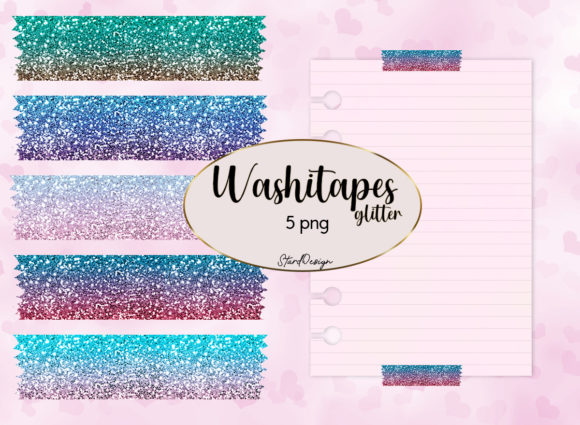
Integrating Washi Tape Glitter into Digital Design and Sublimation Workflows
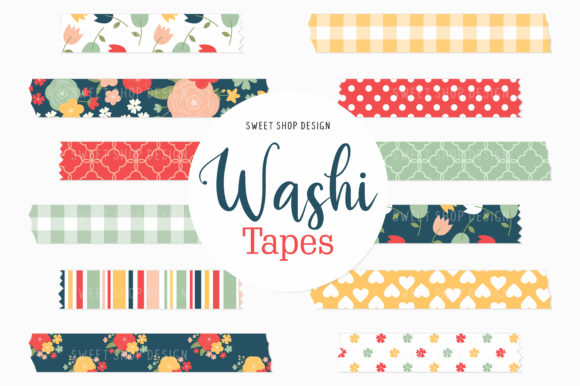
In the evolving landscape of digital crafting and print-on-demand production, texture plays a critical role in perceived value. While physical washi tape has long been a staple for scrapbooking and journaling, the transition to digital assets requires a shift in how creators approach texture and layering. Washi Tape Glitter serves as a bridge between traditional tactile aesthetics and modern digital efficiency. For professionals, educators, and small business owners, these assets are not merely decorative elements; they are functional workflow tools that streamline the creation of complex visual hierarchies without the time investment of hand-drawing textures or photographing physical materials.
Understanding where Washi Tape Glitter fits into a broader design process is essential for maximizing its utility. It functions primarily as a framing device, a separator, or an accent layer that adds depth to flat digital compositions. When utilizing high-resolution 300 DPI PNG files with transparent backgrounds, designers can integrate these elements seamlessly into existing projects. The transparency allows for non-destructive editing, meaning the glitter texture can overlay photos, text, or solid colors while maintaining the integrity of the underlying layers. This capability is particularly valuable in sublimation design, where the interplay of light and texture must be simulated through ink rather than actual reflective material.
Pre-Project Planning and Asset Organization
Efficient implementation begins before the design software is even opened. A common bottleneck in creative workflows is asset mismanagement. When you receive a set of 5 PNG files, immediate organization prevents future friction. Create a dedicated library structure categorized by texture type, color palette, or intended use case. For example, separating "Washi Tape Glitter" from matte paper textures or watercolor splashes ensures rapid retrieval during active design sessions.
Consider the technical specifications during this planning phase. Verifying that files are indeed 300 DPI is crucial for print readiness. While screen-based projects like social media banners can tolerate lower resolutions, sublimation products and printable stationery demand high fidelity. Establishing a quality control checkpoint at the ingestion stage saves hours of rework later. Additionally, previewing the transparent boundaries of each PNG helps in understanding how much negative space exists around the tape element, informing layout decisions regarding margins and safe zones for printing.
Execution in Graphic Design and Branding
During the active design phase, Washi Tape Glitter acts as a versatile structural element. In graphic design and branding, consistency is key. These digital tapes can serve as recurring motifs across various deliverables, creating visual cohesion without repetitive manual effort. For instance, a freelancer designing a client’s media kit might use a specific gold glitter washi strip to highlight key statistics or testimonials. Because the background is transparent, the tape adapts to any brand color scheme simply by adjusting blending modes or applying color overlays within the design software.
The customization potential extends beyond simple placement. Since these are raster-based PNGs, users can add their own images or text directly onto the tape surface using clipping masks. This technique transforms a generic texture into a bespoke branding element. A marketing team could place a promotional code directly onto a glitter tape banner for an Instagram story, ensuring the text remains legible against the textured background. This method combines aesthetic appeal with functional communication, turning decoration into a conversion tool.
- Clipping Masks: Use the tape shape as a container for patterns, gradients, or branded photography to maintain clean edges.
- Blending Modes: Experiment with "Overlay," "Soft Light," or "Multiply" to adjust how the glitter interacts with background colors, simulating realistic light reflection.
- Drop Shadows: Add subtle outer shadows to lift the digital tape off the canvas, enhancing the illusion of physical depth in 2D designs.
- Color Grading: Apply hue/saturation adjustments to match the glitter tone precisely to specific Pantone or CMYK brand standards.
Optimizing for Sublimation and Print Production
Sublimation printing presents unique challenges because the process dyes the substrate rather than sitting on top of it. Physical glitter cannot be sublimated; therefore, Washi Tape Glitter PNGs provide the necessary visual simulation of sparkle through high-contrast pixel data. When preparing files for sublimation, contrast management is vital. The "glitter" effect relies on highlights and shadows to trick the eye. If the file is too dark or lacks dynamic range, the printed result will appear muddy.
For creators producing physical goods like tumblers, keychains, or apparel, integrating these designs requires attention to substrate color. White substrates allow the full spectrum of the digital glitter to show, whereas colored substrates may require a white underbase or adjusted file brightness. During the design process, always test print a small swatch to verify that the simulated glitter reads correctly on the final material. This step bridges the gap between digital preview and physical reality, ensuring customer satisfaction and reducing waste.
In scrapbooking and printable stationery, the application is more forgiving but demands equal attention to detail. Here, Washi Tape Glitter often serves to anchor journaling blocks or title cards. The practical advantage of digital over physical tape in this context is precision. Digital placement allows for exact alignment guides and grid snapping, which is difficult to achieve with adhesive tape. Furthermore, digital assets eliminate the risk of adhesive residue or tearing, making them ideal for archival-quality digital scrapbooks or reusable planner templates.
Post-Production Efficiency and Scalability
After completing a project, the workflow should circle back to efficiency. Successful designs utilizing Washi Tape Glitter should be saved as templates. For educators creating lesson plans or small business owners managing seasonal promotions, having pre-formatted layouts with tape elements already positioned reduces turnaround time for future tasks. Instead of rebuilding a certificate border or a product label from scratch, the creator simply swaps the text or central image.
This templating approach also supports consistency across teams. If multiple designers contribute to a brand's output, providing a standardized library of approved Washi Tape Glitter assets ensures that all materials adhere to visual guidelines. It removes subjective interpretation of "texture" and replaces it with a concrete, shared resource. Over time, this builds a proprietary design system that scales with the business or personal brand.
Technical Compatibility and Software Integration
One of the primary advantages of receiving 5 PNG files is universal compatibility. Unlike proprietary vector formats or layered PSDs, PNGs work across virtually all platforms, from professional suites like Adobe Illustrator and Photoshop to accessible tools like Canva, Procreate, and Silhouette Studio. This interoperability is crucial for mixed-workflow environments where team members may use different software.
However, users must understand the limitations of raster graphics. While 300 DPI is sufficient for most print applications, scaling up significantly beyond the original dimensions will result in pixelation. For large-format projects like trade show banners, verify the physical dimensions of the PNG before committing to the design. If larger sizes are needed, consider using the PNG as a texture fill within a vector shape or sourcing higher-resolution alternatives. Understanding these technical boundaries prevents quality issues during final output.
For those using cutting machines for hybrid crafts (printing then cutting), the transparent background of the PNG simplifies the creation of cut lines. Most cutting software can auto-trace the opaque pixels of the washi tape, generating a precise cut path without manual tracing. This integration of digital texture with physical fabrication exemplifies the modern maker workflow, where digital assets directly inform physical production parameters.
Strategic Application Across User Groups
Different user demographics leverage Washi Tape Glitter for distinct strategic outcomes. Entrepreneurs and marketers focus on engagement and conversion, using the texture to draw attention to calls-to-action or limited-time offers. The psychological association of glitter with celebration and premium quality can subtly influence consumer perception of value.
Educators and homeschoolers utilize these assets to create visually stimulating learning materials that maintain student interest without overwhelming cognitive load. The familiar aesthetic of washi tape makes digital worksheets feel more approachable and less sterile. For bloggers and content creators, these PNGs offer a quick way to brand Pinterest pins or blog headers, ensuring visual recognition in crowded feeds.
Hobbyists and scrapbookers benefit from the endless variety without the storage constraints of physical supplies. A digital collection takes up zero shelf space yet offers infinite creative combinations. This shift from accumulation to utilization represents a more sustainable and efficient approach to crafting, aligning with productivity-minded principles.
Ultimately, Washi Tape Glitter is more than a decorative afterthought; it is a functional component of a streamlined creative workflow. By treating these PNG assets with the same organizational rigor and technical consideration as fonts or photographs, users unlock their full potential. Whether enhancing a sublimation product, refining a brand identity, or organizing personal memories, the integration of high-quality digital textures elevates the final outcome while respecting the creator's time and resources. The key lies not just in having the files, but in embedding them systematically into the planning, execution, and optimization phases of every project.